TV Show Tracker – Keep Track of What You Have Watched
A TV show tracker helps you remember what you have watched, where you left off and what you should watch next. Filmsomniac lets you track TV shows one episode, season and watch at a time.

A TV show tracker helps you remember what you have watched, where you left off and what you should watch next. Filmsomniac lets you track TV shows one episode, season and watch at a time.
At its simplest, a TV show tracker remembers the episodes you have watched. That becomes surprisingly useful quite quickly. A show may have several seasons and dozens or even hundreds of episodes. You may be watching several shows at the same time. You may leave a show for months and come back to it later.
Filmsomniac keeps your watching data in one place. It doesn't matter whether you watched an episode from a streaming service, television broadcast, DVD, Blu-ray or somewhere else. Your watches are not tied to the place or service where you happened to watch them. A TV show series can be just a list of watched episodes. Or, as in Filmsomniac, it can also become a TV diary where individual watches, rewatches and other details are saved separately.
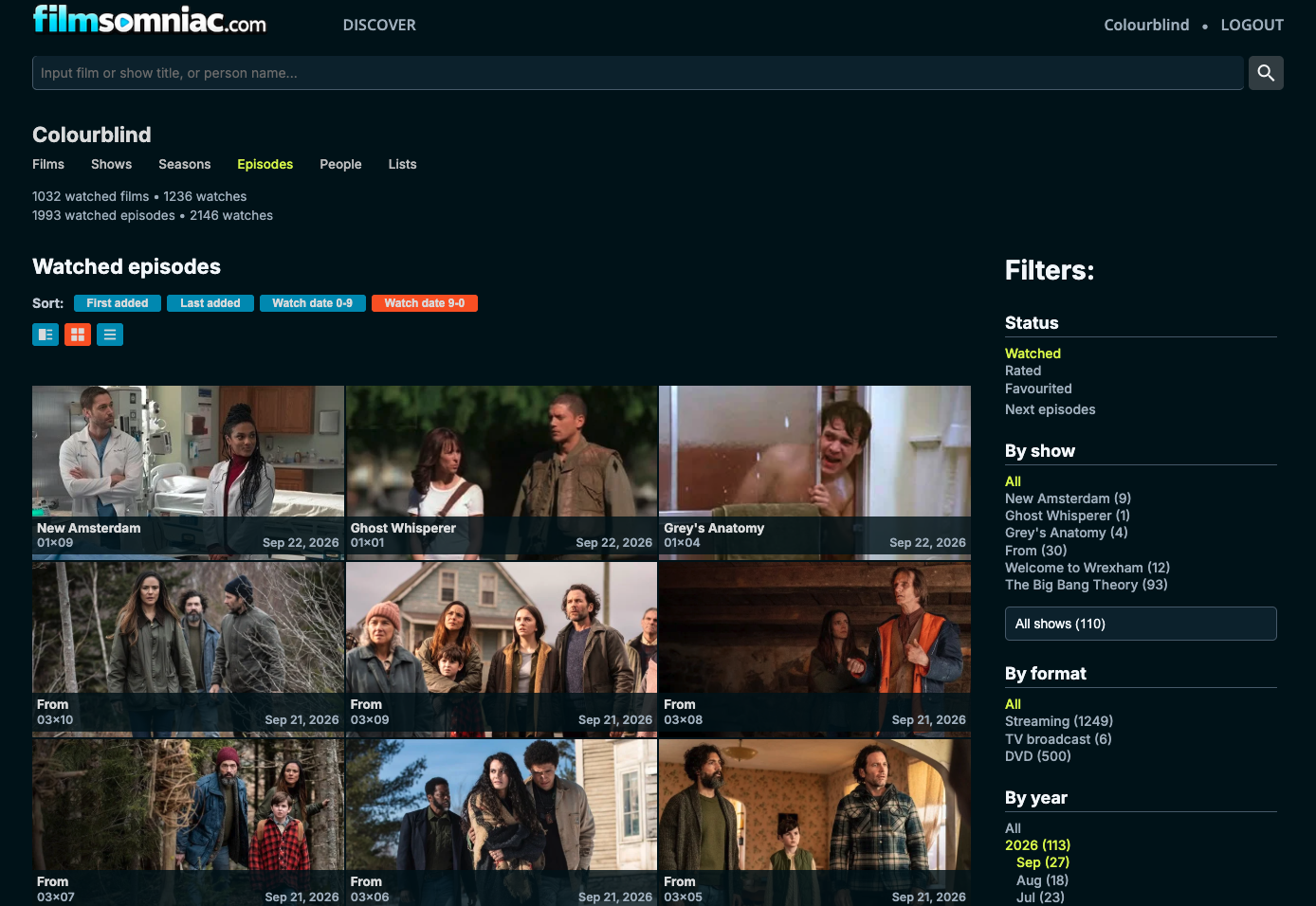
You don't always have to mark episodes as watched one by one. If you have watched an individual episode, you can mark that episode as watched. If you've watched the whole season, you can mark the season as watched at once. And if you have watched the whole show, you can mark the complete show as watched. This is especially useful when you first start using Filmsomniac. Special episodes can also be set as watched. They are treated as episodes just like the regular episodes of a season. The season doesn't have a number and is instead called "Specials".
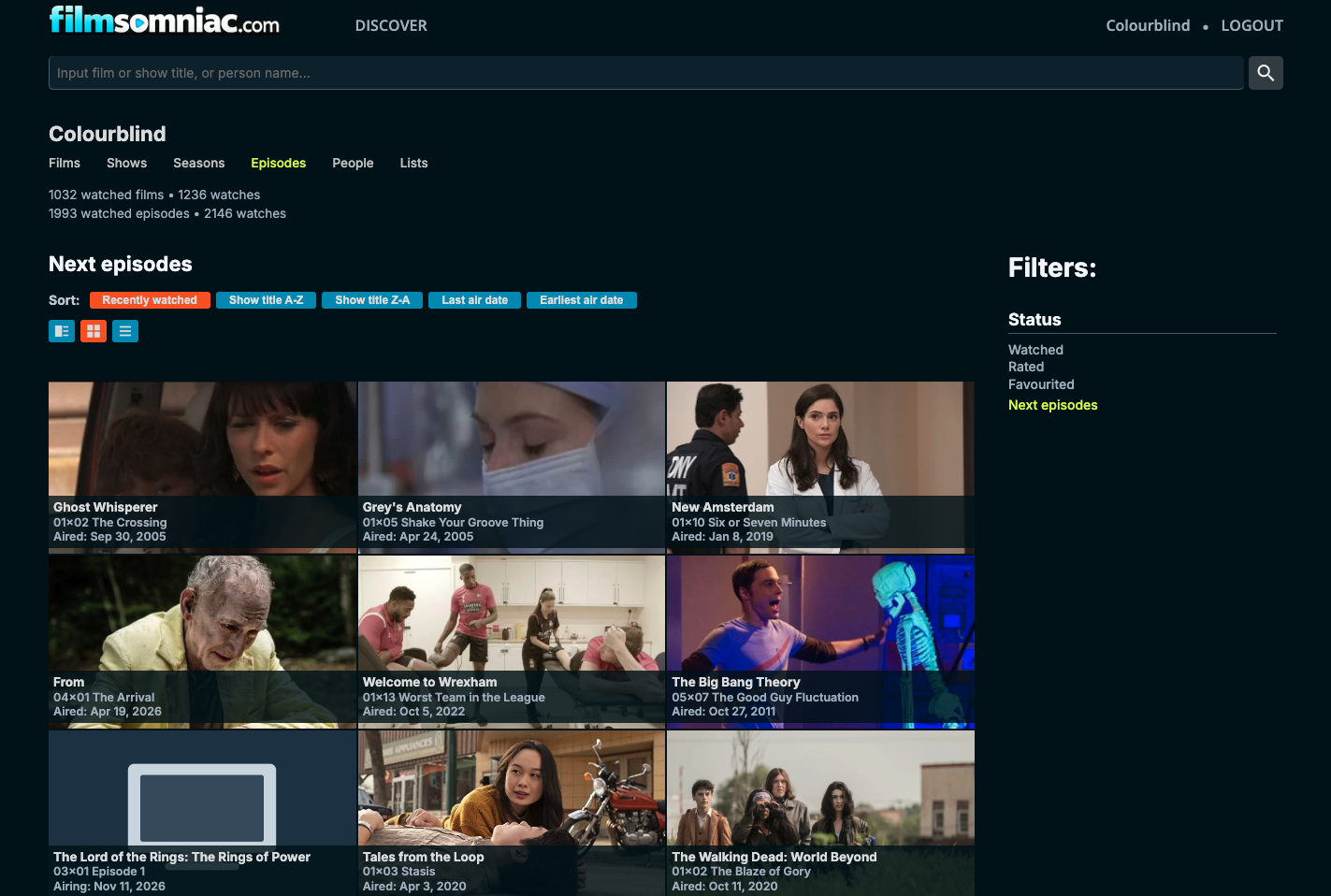
One of the simplest reasons to use a TV show tracker is also one of the most useful: remembering what comes next. It is easy enough when you are watching only one show. It becomes harder when you have several unfinished shows, take long breaks between them, or return to a show after waiting a year for the next season. Filmsomniac has a Next Episodes page for this. It gives you a single view to see the episodes that come next in the shows you've been watching. You don't have to remember whether you stopped at episode five or six. You don't have to open a streaming service and hope that its progress information is still there. Also, changing the service where you watch the show doesn't mean you lose your viewing data. Your TV show series stays the same even when the place where you watch the shows changes.
Filmsomniac also allows you to add shows and episodes you watched earlier, even years ago. You don't need to remember everything, and you certainly don't need to know the exact dates. Maybe you remember that you watched the whole show. Maybe you know you saw the first three seasons but never finished the fourth. Maybe you remember watching something sometime in the 1990s. Add what you remember. If more comes back to you later, you can add that too. The same idea applies to television as it does to a movie diary: you don't have to reconstruct all your past watches for the tracker to become useful.
Watching an episode once doesn't mean it can only appear once in your TV diary. Filmsomniac creates a separate watch each time you add a new watch. You can have several individual watches of an episode — and, of course, of a movie too. Maybe you watched a series when it originally aired and then watched the whole thing again much later. Maybe you rewatch only a favourite season (True Detective, anyone?) every now and then. Maybe there are a few episodes you return to regularly. Those watches can stay separate. An episode's You tab shows your watches of that episode. A season also has a You tab where your episode watches from that season can be explored together. This means you can see not only that you have watched something, but also when you watched it. Every watch counts in Filmsomniac, whether it is the first watch or the fifth.
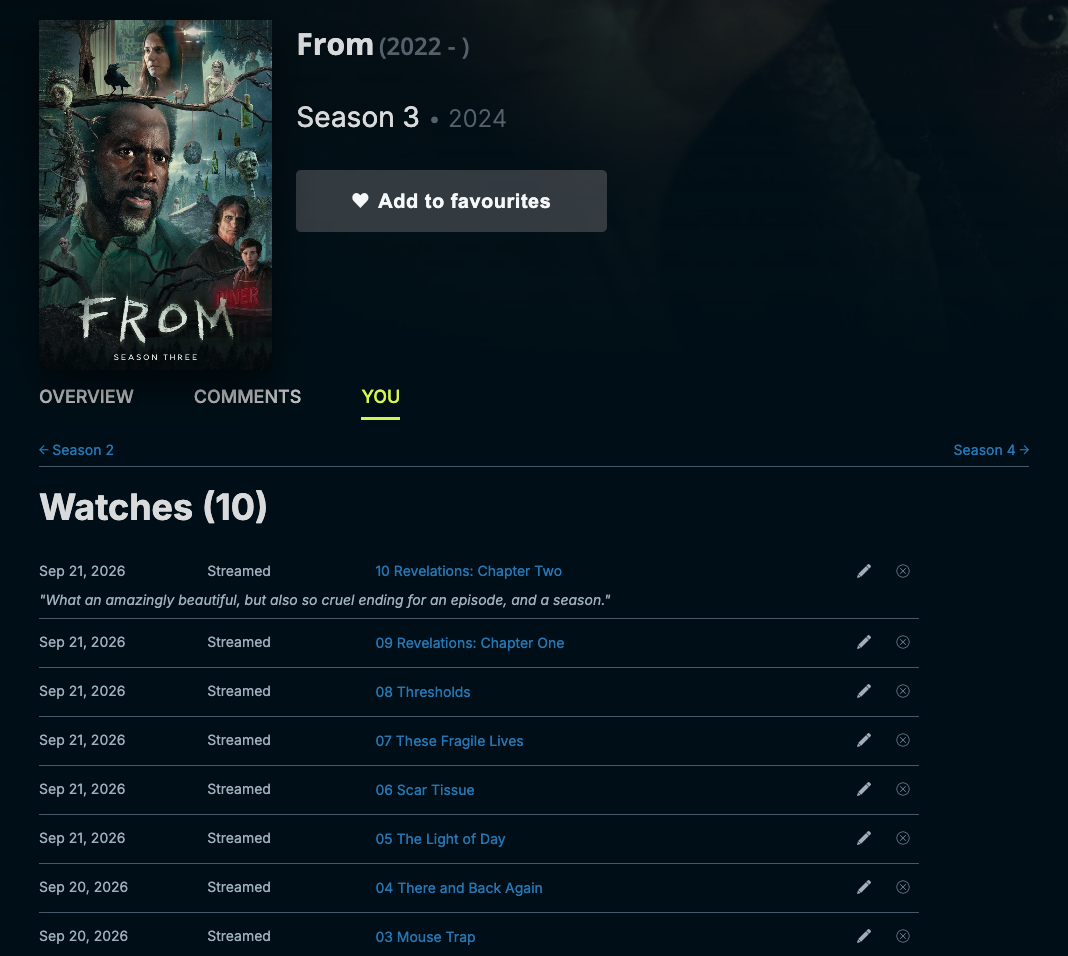
Adding a watch can be very simple. You can just mark an episode as watched. If you want to track more information, you can also add a watch date and the format you watched it in. The date doesn't have to be exact. If you only remember the year, you can add the year. If you remember the month too, you can add the year and month. You can also write a note about the watch, which can be public or visible only to you. A note can hold whatever small detail you want to remember. Who you watched it with, where you were, why you happened to rewatch it, or anything else connected to that particular watch. None of these details are required, though. Use them when they feel useful.
Tracking what you have watched is only one part of Filmsomniac. Shows and individual episodes (and movies) can also be rated and favourited. Seasons can be favourited too. You can also create lists of movies, shows and episodes. So your watches can also be organised in other ways than simply watched and unwatched. You could create lists around genres, actors, personal favourites or anything else that is useful or interesting to you. The tracker tells you what you have watched. Ratings, favourites and lists let you add some meaning around what you've watched.
Filmsomniac tracks both movies and television. That means you don't need one place for your movie diary and another for TV shows. Your watches live together in the same account, whether tonight you watch a film, one episode of a series or half a season. A TV show tracker becomes especially useful when you watch several shows, leave some unfinished, return to old ones and rewatch favourites. But you don't need to use every feature for it to be useful. Start with the show you are watching now. Mark what you have already seen. When you come back tomorrow, Filmsomniac remembers where you were.